A Guide For Buying Intel i3 For College Students in 2025
If Intel i3 is out of the picture then, Ryzen 5 laptops offer excellent multi-core performance, while Intel i5 excels in single-core tasks.

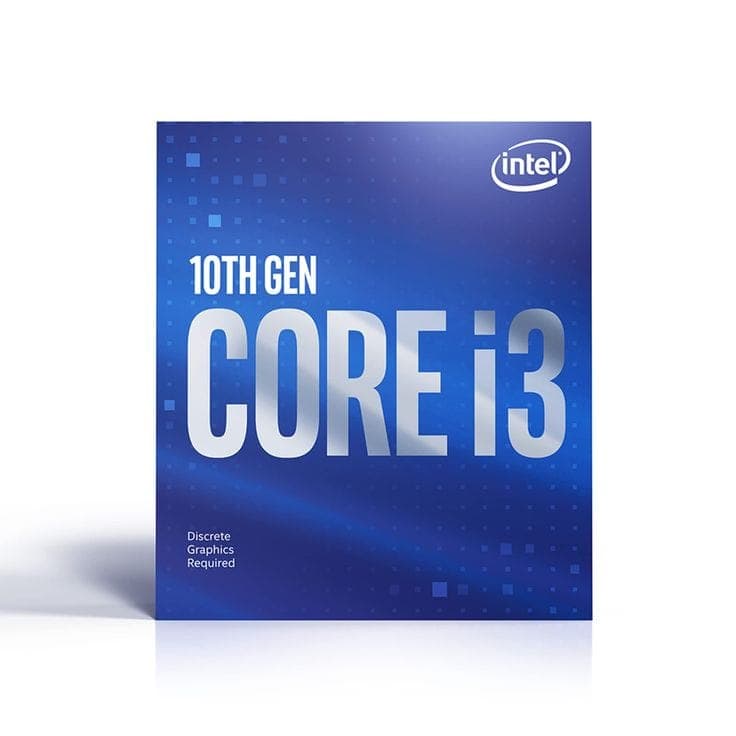
TL;DR Choosing the right laptop for college depends on academic needs. Intel i3 suits basic tasks like browsing, MS Office, and online learning but struggles with multitasking, coding, and creative apps. For engineering or design students, Intel i5 or Ryzen 5 is ideal, offering better speed, multitasking, and future-proofing. Commerce and arts students can manage with i3, but i5 ensures smoother performance.
Choosing the right laptop for college is a crucial decision, as it directly impacts productivity, coursework efficiency, and overall user experience. Many students opt for Intel Core i3 processors due to their affordability, but is it the best choice? Should students upgrade to Intel Core i5 or AMD Ryzen 5 for better performance? Let’s explore this question by considering different academic streams and their computing needs.
Is the Intel i3 Processor Still Relevant in 2025?
The Intel Core i3 processor has historically been a budget-friendly option for basic computing tasks, but in 2025, its relevance depends on the user's needs. While modern i3 processors have improved with higher core counts and better efficiency, they still lag behind i5 and Ryzen 5 in terms of multitasking, performance, and future-proofing.
Where the i3 Processor Still Works Well
- Basic Productivity – Ideal for MS Office, web browsing, and online learning.
- Casual Use – Suitable for streaming, social media, and light entertainment.
- Budget Constraints – If affordability is the priority, i3 remains a viable option.
Where i3 Falls Short in 2025
- Multitasking & Heavy Applications – Struggles with coding, video editing, and gaming.
- Future-Proofing – With software becoming more demanding, i5 or Ryzen 5 ensures longevity.
- Creative Work – Graphic design, animation, and professional editing require more power.
For students, professionals, and gamers, upgrading to Intel i5 or Ryzen 5 is highly recommended. However, for basic users with minimal computing needs, i3 can still be relevant in 2025, provided expectations are realistic.
Understanding the Difference: Intel i3 vs. i5 vs. Ryzen 5
Before diving into specific student requirements, let’s compare these processors:
| Processor | Cores/Threads | Clock Speed | Performance | Best For |
|---|---|---|---|---|
| Intel Core i3 | 4 Cores / 8 Threads | 3.0 - 4.1 GHz | Basic performance | Web browsing, MS Office, light multitasking |
| Intel Core i5 | 6 Cores / 12 Threads | 3.5 - 4.6 GHz | Mid-range performance | Coding, video editing, gaming, multitasking |
| AMD Ryzen 5 | 6 Cores / 12 Threads | 3.6 - 4.4 GHz | Competitive performance | Creative work, engineering simulations, gaming |
While Intel i3 processors are sufficient for basic tasks, i5 and Ryzen 5 offer better multitasking, faster speeds, and improved efficiency, making them ideal for students handling demanding applications.
Which Processor is Best for Different College Streams?
Selecting the right laptop processor is essential for students across different academic streams, as it impacts performance, efficiency, and multitasking capabilities. While Intel i3 processors offer affordability, Intel i5 and AMD Ryzen 5 provide better speed, multitasking, and longevity for demanding coursework. Engineering students require powerful processors for CAD and simulations, while fashion technology students need smooth rendering for design applications. Commerce and arts students can manage with i3, but upgrading to i5 ensures smoother multitasking. Understanding these requirements helps students invest in a future-proof laptop suited to their academic needs.
1. Engineering Students
Engineering students often work with CAD software, coding environments, and simulation tools like MATLAB, AutoCAD, and SolidWorks. These applications require high processing power and multitasking capabilities. Intel i5 or Ryzen 5 is highly recommended. Intel i3 may struggle with complex simulations and coding tasks.
2. Fashion Technology Students
Fashion tech students use graphic design software like Adobe Illustrator, Photoshop, and CorelDRAW. A laptop with good processing power and a high-resolution display is essential. Intel i5 or Ryzen 5 is ideal for smooth performance in design applications. Intel i3 may lag when handling large files.
3. Commerce Students
Commerce students primarily use MS Office, accounting software (Tally, QuickBooks), and web-based research tools. They don’t require high-end processing power. Intel i3 is sufficient, but i5 offers better multitasking for handling multiple applications simultaneously.
4. Arts & Humanities Students
Arts students often work with writing tools, research databases, and light graphic design software. A laptop with good battery life and a comfortable keyboard is more important than raw processing power. Intel i3 is adequate, but i5 provides smoother performance for multitasking and creative work.
Affordable Intel i5 Laptops for Students in India
Here are some budget-friendly Intel i5 laptops available in India:
| Laptop | Processor | RAM & Storage | Display | Price (INR) |
|---|---|---|---|---|
| HP 15s (12th Gen i5-1235U) | Intel Core i5-1235U | 8GB RAM, 512GB SSD | 15.6" FHD, Anti-glare | ~₹46,990 INR |
| Dell Inspiron 14 (12th Gen i5) | Intel Core i5-1235U | 8GB RAM, 512GB SSD | 14" FHD, IPS | ~₹45,490 INR |
| Lenovo IdeaPad Slim 3 (12th Gen i5) | Intel Core i5-1235U | 8GB RAM, 512GB SSD | 15.6" FHD, IPS | ~₹44,990 INR |
| Acer Aspire 5 (13th Gen i5) | Intel Core i5-1335U | 16GB RAM, 512GB SSD | 15.6" FHD, IPS | ~₹49,990 INR |
| ASUS Vivobook 15 (12th Gen i5) | Intel Core i5-1235U | 8GB RAM, 512GB SSD | 15.6" FHD, IPS | ~₹42,990 INR |
These laptops provide solid performance for students, ensuring smooth multitasking, good battery life, and reliable build quality. Top Budget-Friendly Intel i5 Laptops for Students
Here are two standout laptops from the list that students can confidently consider based on performance, affordability, and usability:
1. Acer Aspire 5 (13th Gen i5-1335U) ~ ₹49,990 INR
- This laptop comes with the latest Intel i5-1335U processor, offering better efficiency and speed compared to 12th Gen models.
- With 16GB RAM and 512GB SSD, students can enjoy smooth multitasking, faster app launches, and reliable storage for coursework.
- The 15.6" FHD IPS display ensures good clarity and color accuracy, making it ideal for engineering students, video editors, and digital artists who need a sharp screen.
- Why Choose It? Best for students who require high performance for coding, creative applications, and academic work without spending too much.
2. Dell Inspiron 14 (12th Gen i5-1235U) ~ ₹45,490 INR
- A 14-inch compact design makes it lightweight and portable, ideal for students who need a laptop for both college and travel.
- Powered by the Intel i5-1235U, it delivers solid performance for everyday tasks like MS Office, research, programming, and presentations.
- The IPS display offers better viewing angles and crisp clarity, making it a great choice for commerce and arts students working with documents or visual content.
- Why Choose It? Ideal for students looking for a well-rounded, portable laptop with a balance of performance and affordability.
Comparison: Intel i5 vs. Ryzen 5 Budget Laptops
For students considering AMD Ryzen 5 alternatives, here’s a comparison:
| Laptop | Processor | RAM & Storage | Display | Price (INR) |
|---|---|---|---|---|
| HP 15s (Ryzen 5 5500U) | AMD Ryzen 5 5500U | 16GB RAM, 512GB SSD | 15.6" FHD, Anti-glare | ~₹41,000 INR |
| Lenovo IdeaPad 1 (Ryzen 5 5500U) | AMD Ryzen 5 5500U | 8GB RAM, 512GB SSD | 15.6" FHD, IPS | ~₹35,990 INR |
| ASUS Vivobook 15 (Ryzen 5 5500U) | AMD Ryzen 5 5500U | 8GB RAM, 512GB SSD | 15.6" FHD, IPS | ~₹39,990 INR |
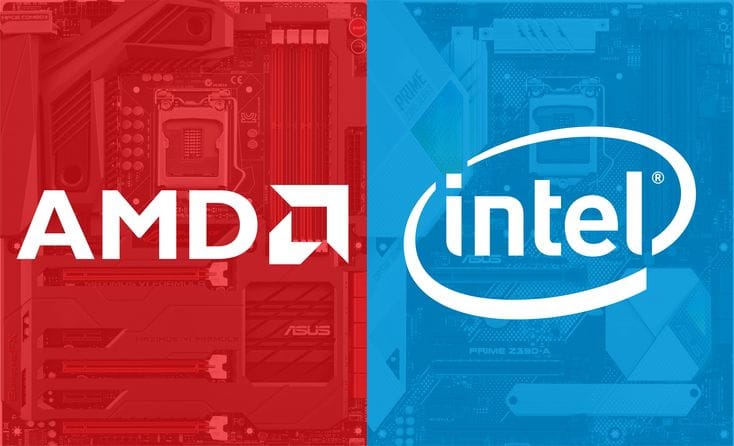
AMD’s Ryzen 5 5500U is a strong competitor to Intel’s 12th Gen i5 (i5-1235U) in terms of multi-core performance, efficiency, and affordability. Let’s assess which of the listed Ryzen 5 laptops stand up well against their Intel counterparts.
1. HP 15s (Ryzen 5 5500U)
- The HP 15s Ryzen 5 variant offers 16GB RAM vs. 8GB RAM on the i5 model, making it better for multitasking and heavy applications.
- Performance Comparison: The Ryzen 5 5500U has 6 cores / 12 threads, similar to the i5-1235U, but excels in multi-threaded workloads like video editing, simulations, and multitasking.
- Best for: Engineering and fashion tech students who need extra RAM and power-efficient performance at an affordable price.
2. ASUS Vivobook 15 (Ryzen 5 5500U)
- The Ryzen 5 5500U matches i5-1235U in raw performance, with slightly better efficiency and sustained workload handling.
- Display & Performance: IPS display and 8GB RAM make it a balanced choice for commerce and arts students, handling MS Office, web research, and light creative work smoothly.
- Best for: Students on a budget who want a good balance of performance and efficiency without spending extra on Intel.
Which One Should You Choose?
- Intel i5 laptops offer better single-core performance, making them ideal for coding, business applications, and general multitasking.
- Ryzen 5 laptops provide better multi-core performance, making them great for graphic design, video editing, and gaming.
Deciding between Intel i3, i5, or AMD Ryzen 5 is a crucial step in ensuring smooth performance throughout college. While Intel i3 remains relevant for basic tasks like web browsing and MS Office, it struggles with multitasking, coding, and creative applications. Engineering and fashion tech students benefit greatly from Intel i5 or Ryzen 5, as they handle heavy workloads, CAD software, and design applications efficiently. Commerce and arts students can manage with i3, but i5 ensures better speed and seamless multitasking for research and writing tools.
For budget-conscious students, Ryzen 5 laptops offer excellent multi-core performance, while Intel i5 excels in single-core tasks. Choosing the right laptop based on academic needs ensures future-proofing, better efficiency, and an overall smoother user experience throughout college.
What About In 2026?
In 2026, the Intel Core i3 still has a place for college students in India, but the margin for error becomes much smaller than it was a few years ago. Modern student workflows are heavier by default because browsers consume more RAM, online classes run alongside multiple tabs, and everyday tools like Google Docs, Canva, Teams, Zoom, and Chrome extensions demand more resources than they used to. This means an Intel i3 laptop in 2026 is not automatically a bad choice, but it is only a good choice when paired with the right supporting specs and realistic expectations about usage.
The most important shift in 2026 is that students are holding laptops longer. Many buyers now expect a laptop to last three to four years, which makes future-proofing more important than saving a small amount upfront. While an Intel i3 can handle basic academic tasks smoothly in the first year, it may start to feel slower as workloads grow, software gets heavier, and multitasking becomes unavoidable. This is especially true for students who start with lighter usage in the first semester but later move into project work, internships, presentations, coding assignments, or creative work for clubs and portfolios. In that kind of college journey, an Intel i5 or Ryzen 5 becomes a safer investment.
However, the Intel i3 can still make sense in 2026 if you are purchasing the laptop with strong supporting components. A minimum of 8GB RAM and a 512GB SSD becomes essential, but 16GB RAM is strongly recommended for smooth performance across multiple tabs, apps, and background tasks. If the laptop has an i3 processor but includes a slow SSD, limited RAM, or poor cooling, it will struggle much sooner. The best i3 laptop in 2026 is not the cheapest one, it is the one with the right balance of RAM, SSD, and display quality that keeps the daily experience stable.
Another key 2026 factor is the rise of AI-assisted software and heavier background services. Even if a student is not directly using AI tools, many apps now include AI-based features, sync services, and advanced processing that increases baseline system load. This is one reason why the Intel i5 category is becoming the new “minimum safe standard” for many students, especially in engineering, computer science, design, media, and research-heavy courses. The i3 remains best suited for commerce, humanities, and general degree programs where workloads stay mostly productivity-focused.
In summary, Intel i3 in 2026 is still usable for students, but it should be chosen only when the budget is tight and the workload is genuinely light. For most college students who want smoother performance, better long-term stability, and fewer slowdowns across their full degree, moving up to Intel i5 or Ryzen 5 is the smarter and more future-proof choice.
Frequently Asked Questions
Q. Is Intel Core i3 still worth buying for college students in 2026?
Yes, Intel Core i3 is still worth buying in 2026 for students whose work is limited to browsing, MS Office, online classes, research, and light multitasking. However, for a degree that will last three to four years, Intel i5 or Ryzen 5 remains the smarter long-term choice for smoother performance.
Q. What is the biggest drawback of choosing an Intel i3 laptop in 2026?
The biggest issue is limited multitasking headroom. As college workloads grow to include multiple browser tabs, video calls, coding tools, Canva, presentations, and background apps, Intel i3 laptops can start to feel slower much sooner than i5 or Ryzen 5 alternatives.
Q. Should engineering students avoid Intel i3 laptops in 2026?
In most cases, yes. Engineering students usually work with coding environments, CAD software, simulations, MATLAB, and project tools that benefit from stronger processors. Intel i5 or Ryzen 5 offers better speed, stability, and future-proofing throughout the degree.
Q. Which is better for students in 2026, Intel i5 or Ryzen 5?
Both are excellent choices. Intel i5 is usually better for strong single-core responsiveness, coding, and general productivity, while Ryzen 5 often delivers better multi-core performance and stronger value for creative work, multitasking, and sustained workloads.
Q. What laptop specifications should an Intel i3 student buyer prioritise in 2026?
At minimum, students should prioritise 8GB RAM and a 512GB SSD, but 16GB RAM is strongly recommended for long-term smoothness. A good display, efficient cooling, and upgradeable memory also make a major difference in keeping an Intel i3 laptop usable for years.
Q. Is Intel i3 enough for commerce and arts students in 2026?
Yes, Intel i3 is usually sufficient for commerce and arts students because their work mainly involves documents, spreadsheets, presentations, web research, and online classes. Still, choosing an i5 gives better multitasking and a longer usable lifespan.
Q. Can Intel i3 handle coding for college students?
Intel i3 can handle basic coding in languages like C, Python, and Java for beginners, especially in the first year. However, as projects become larger and students start using heavier IDEs, emulators, and databases, Intel i5 or Ryzen 5 becomes the better choice.
Q. How many years can an Intel i3 laptop last for a student?
A well-configured Intel i3 laptop with 16GB RAM and SSD storage can comfortably last around three years for light academic use. For demanding streams or heavier multitasking, performance may start to feel limited earlier.
Q. Is 8GB RAM enough with Intel i3 in 2026?
8GB RAM is the minimum safe starting point in 2026, but it is no longer ideal for students who multitask heavily. If budget allows, 16GB RAM makes the overall experience significantly smoother and improves long-term usability.
Q. What is the safest processor choice for most college students in 2026?
For most students, Intel i5 or Ryzen 5 is the safest choice because it balances performance, multitasking, battery efficiency, and long-term reliability across a full college degree.